


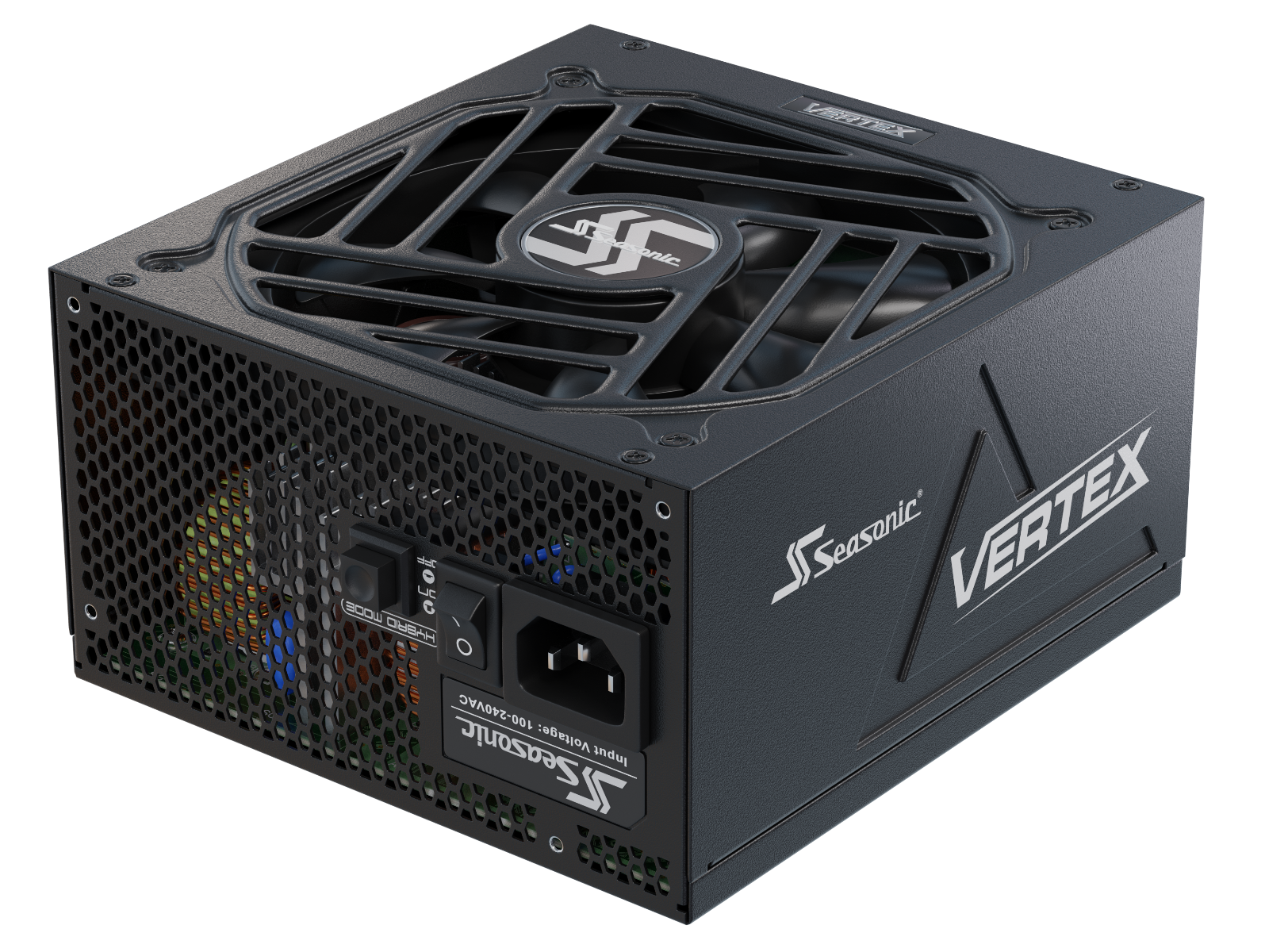







Your PC runs great day to day, but starts crashing when things get demanding? In many cases, crashes under heavy load are linked to the GPU, PSU, thermals, drivers, or overall system stability. In this article, we’ll show you how to tell the difference between GPU and PSU issues and quickly identify what’s really causing those crashes under load.
Why PCs crash under heavy load. The main reasons are explained.
When a PC runs fine under medium load, we usually assume everything’s okay and stable. But office work or light home use isn’t a real stress test.
The real test drive starts when the system handles heavy gaming, AI workloads, rendering, or long streaming sessions running for hours. That’s when you see whether the system is actually ready for that kind of load, and which component can’t keep up. Sometimes more than one.
The most common reason for PC crashes is the unstable operation of the GPU and the power supply. In some cases, there is inconsistent behavior between them. From the GPU side, the biggest challenge is short power spikes. They typically happen when demanding graphics are rendered or heavy scenes start loading, and can last only milliseconds. Because of that, the system may seem perfectly stable most of the time, until one of those spikes hits.
If the PSU is capable of handling this kind of GPU behavior and can absorb transient spikes, everything keeps running smoothly. If not, you may start seeing freezes, random reboots, or even full system shutdowns.
The other reason for the PC’s crash may be caused by:
- Overheating. When the CPU or GPU gets too hot, the system starts throttling performance or simply shuts down to protect the hardware.
- GPU power cable issues. In high-end systems, a poorly seated 12VHPWR / 12V-2×6 cable, strong bending near the connector, or a low-quality adapter can lead to instability, overheating, or shutdowns under load.
- An aging PSU. After years of use, especially in hot or high-load systems, PSU components can age and reduce the unit’s ability to handle demanding transient loads. Modern GPUs can also place different demands on older PSU platforms.
- No less important thing – crashes under load rarely happen for no reason. Most of the time, they’re a sign that some part of the system is already being pushed to its limit, whether that’s temperature, power delivery, or overall stability.
Typical symptoms of a bad power supply
The tricky part about power supply issues is that they often aren’t obvious and make PC builders confused. In such a strange system behaviour, it is easy to blame the GPU, CPU, or even drivers, while the real problem is the power supply struggling in the background.
Since every PC component depends on stable power, PSU-related problems can show up in unexpected ways. That’s why we’ve put together the symptoms that are most commonly linked to the PSU itself. The list below can help you tell them apart from issues caused by other hardware.
The symptoms of a faulty power supply are as follows:
- Sudden shutdowns under load. The PC may work perfectly fine for hours running light tasks, but shuts down minutes after launching a game or rendering a scene. That’s a sign that the PSU is hitting its limits or reacting to sudden power spikes.
- Random reboots with no warning. When the system suddenly restarts without a BSOD, error message, or obvious reason.
- Problems that start after a GPU upgrade. If the new GPU is installed correctly but you’re seeing freezes, black screens, or unexpected reboots under load – the PSU is not keeping up with the system’s new power demands.
- Startup issues. When the PC doesn’t always power on the first try, shuts down during boot, or needs several attempts to start.
Signs your GPU may be causing system instability
As GPUs keep pushing heavier graphical workloads, they can run under sustained pressure for long periods, which may lead to unstable behavior.
If your build is fully ready for this kind of load and packed with high-end components that handle power-demanding tasks with ease, everything is fine. But over time, components age and become less capable, and the GPU may start showing you clear signs that something isn’t right. That’s a clear hint your system needs a look, or a part may be on the way out.
If you see the following issues, your system may be heading toward GPU-related instability:
- Sudden screen artifacts under load. It looks like a bad TV that messes up the picture, showing lines, flickering, and broken textures.
- Games or 3D apps are crashing without errors.
- Black screen on launch, then returns to the desktop/system.
- Unexpected FPS drops even in light scenes that were stable previously run.
- Freezes during GPU-heavy tasks like gaming, AI, or rendering.
- Unstable GPU boost clocks, with sharp frequency drops.
- High GPU or hotspot temperatures compared to normal.
- The system is fine at idle, but it crashes under rising GPU load.
- Issues start right after a new GPU install or upgrade. This comes from the GPU, but also connected with a PSU that can’t handle its power needs.
Power supply and graphics card failure: how to tell the difference.
The GPU and PC power supply problems symptoms seem identical. Unexpected black screens, reboots, and game exits during heavy scenes – they all may be caused by these two core system components. Nevertheless, they’re different depending on what problem shows up.
In short:
GPU-related issues often leave visual or driver-level clues, while PSU-related issues more often appear as sudden shutdowns or reboots under load, especially when there are no clear software errors.
When the issue comes from the GPU, the system behaves like a car with a failing engine. The system may still remain powered on, but the workload becomes unstable. In practice, you might see artifacts, driver resets, application crashes, unstable clocks, black screens, or performance drops.
When the problem is on the power supply side, it’s a different story. There are no warnings or errors: the system just shuts off or reboots, especially during the sharp power spikes of modern GPUs.
Picture this: GPU issues usually show up consistently, in the same game or scene. PSU failure signs feel random – one day it crashes in rendering, another day in a game, then it might run fine for a week.
As a quick diagnosis, the difference between the signs of a failing PSU and GPU looks as follows.
| The system behaviour | Possible cause |
|---|---|
| Artifacts, graphical glitches, driver crashes | GPU |
| Black screen + immediate reboot | PSU |
| Crashes only in games / 3D applications | GPU or a driver |
| PC shuts down under load | PSU |
| Stable in idle mode, issues only during peak loads | More common a PSU |
How power surges and temporary loads affect modern PCs
The biggest stress on PC performance comes from the PSU, as it powers up the whole system. What pushes a PSU the most isn’t temporary loads, but short, sudden spikes in power draw, so-called transient spikes. These are moments when the GPU or CPU briefly pulls way more power than usual, but only for a few milliseconds. While working on a PC, you don’t really see it, but a lot is happening on the electrical side.
The problem is that these spikes happen faster than the system can properly react. If the PSU doesn’t have enough headroom or isn’t built for this kind of behavior, it can fail to keep voltage stable or trigger protection.
In real use, this feels so unpredictable: one day a game runs perfectly, the next day the same game crashes at a different moment. And these peak moments are impossible to reproduce exactly, because they depend on what’s happening in that exact millisecond of load.
Safely stress testing your GPU and power supply
The Safe Stress Test in 2026 is about finding out how PC components behave in real-world conditions, even extreme ones. It is based on the scenarios where the GPU produces short spikes in power draw (power excursions), and the PSU should withstand them.
Start with the workload that causes the crash, such as a specific game, render, or AI workload. If needed, test with a GPU benchmark like 3D Mark, then add CPU load carefully. If there are no shutdowns, reboots, or black screens under load, it is a good sign that the PSU is handling the power spikes properly, and the system is stable. If not – it’s a hint that something doesn’t keep up with the load, and the PC build must be checked more thoroughly.
Monitoring temperatures, voltages, and system logs
Monitoring temperatures and voltages is a part of complex system diagnosis to see how stable it is under real loads or after GPU upgrading. As a standard practice, the whole process starts from monitoring the system behaviour after launching the game or rendering a scene. Here, experts just keep an eye on temperatures, voltage, and system behavior during the first 10–30 minutes, when the GPU is hitting its highest peak loads. Under normal conditions, GPU and CPU temperatures should spike briefly at first, then settle and stay stable without sudden jumps.
During normal operation under load, there also shouldn’t be any critical errors in the system logs. If everything is stable, Windows Event Viewer won’t show things like “unexpected shutdown” or “driver reset.” If the system powers off without a useful driver error, it may point toward power delivery, protection triggering, or another hardware-level failure.
Common mistakes that cause random shutdowns and crashes
Try to avoid these ones so your PC will have a longer, healthier lifespan:
- Using an old or underpowered PSU running at its limit with no headroom for peak loads. It’s a bad power supply option for hard gaming or extreme loads.
- Ignoring modern GPU power spikes and focusing only on rated wattage.
- Using a low-quality or poorly installed 12V-2×6 connector or adapter.
- Mixing modular cables from different power supplies. Use only those that come in a box with a power supply.
- Poor case airflow, causing GPU or CPU overheating under load.
- Overclocking without checking real-world stability.
- Outdated or unstable GPU drivers.
- Using a cheap PSU without proper protections (OCP, OVP, OPP).
- Ignoring PSU aging and wear over 5–7+ years.
- Underestimating total system power after a GPU upgrade.
Ultimate diagnostics checklist: identifying the true cause of crashes
Follow this checklist to quickly identify what exactly is going wrong and where to start fixing the issue.
- Determine exactly when the crash happens. During the idle, gaming, rendering, or AI load.
- Check if the issue started after a GPU or PSU upgrade. This way, you can connect the problem that arises with the latest changes in your system.
- Reproduce the load (game, benchmark, render) and see if the crash is consistent.
- Check Event Viewer. GPU driver resets usually point to the GPU; no logs at all often point to the PSU.
- Look at the symptoms. Artifacts and driver crashes may be the GPU-side fault. Instant blackout or reboot point on the issue with a PSU.
- Monitor GPU/CPU temperatures under load (overheating is a common cause).
- Check 12V readings if reliable monitoring is available. Proper voltage validation requires suitable measurement equipment.
- Verify proper connection of 12V-2×6 or PCIe cables.
- Disable CPU/GPU overclocking for stability testing.
- Test the system across different loads (gaming, rendering, synthetic stress tests).
結論
In most cases, a system crash under load comes down to how the system behaves when it’s pushed to its limits. In modern PCs, the interaction between the GPU and the PSU plays a key role. The graphics card usually shows issues through visual glitches or driver crashes, while the PSU more often leads to sudden shutdowns or reboots with no warning.
The proper diagnosis is the only smart step to identify what creates a specific issue and what the level of emergency is. Start by watching how the system reacts under load and telling the difference between stable, repeatable errors and random, unpredictable power failures. The results you get become a base for the system upgrade or fixing some components.